
Smart home at a glance
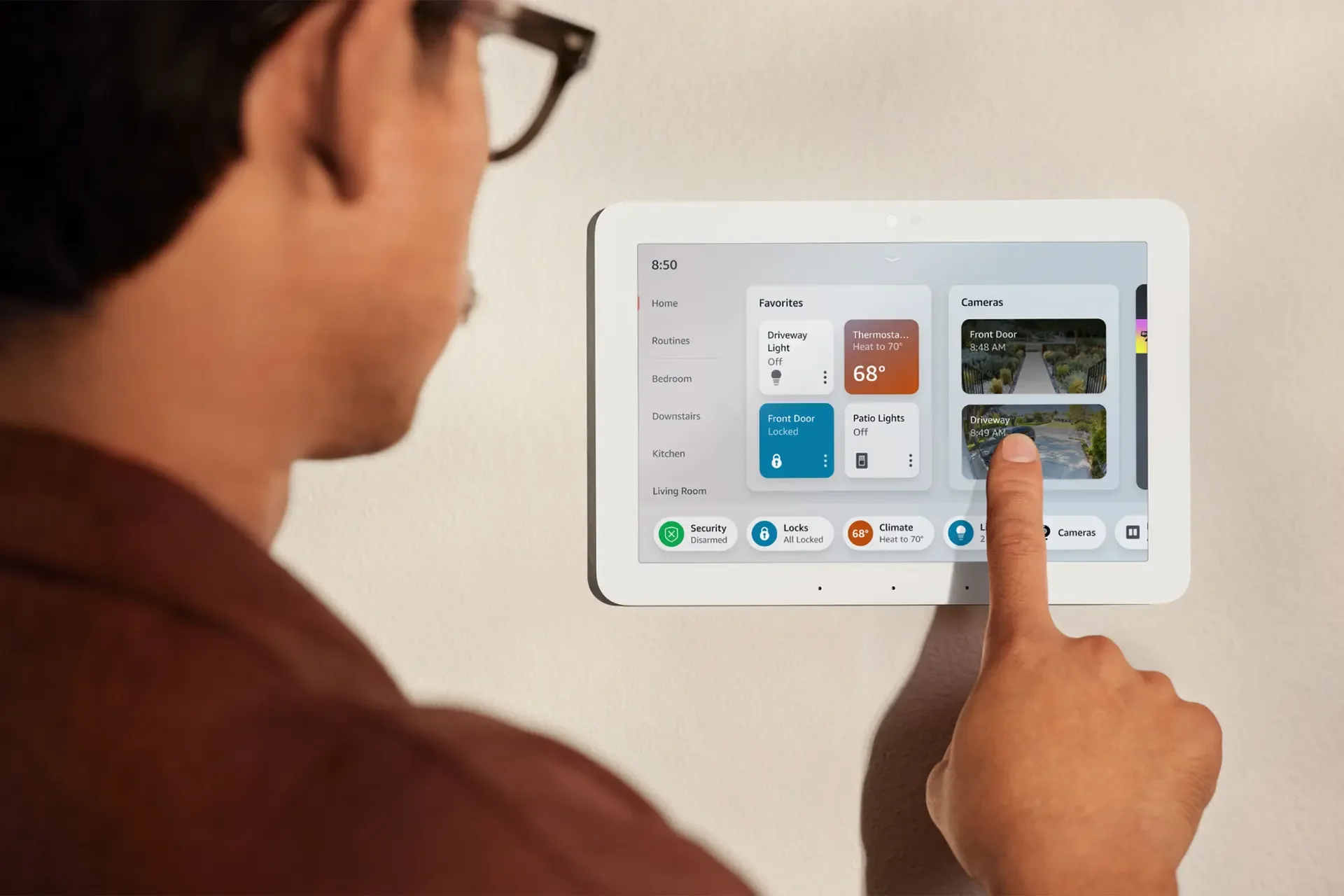
Echo Hub, Amazon's first smart home control panel.
Families were juggling multiple apps and accounts just to control the devices in their home. Echo Hub had to bring every device into one place, glanceable and effortless to control, while balancing smart home control with Alexa features.
I led the UX from early concepts to launch. I designed a dashboard that people can arrange and resize around how their family lives, a collapsible side panel with navigation by device type, and the design system partner teams used to build on it.
Design principles
- 01
Control first
Smart home controls lead the screen, and Alexa features support them without crowding it.
- 02
One place for every device
No more switching between apps or going to each device. Lights, locks, cameras, and climate can all be checked and controlled from one screen.
- 03
Shaped by each family
Every home is different, so people can arrange and configure the dashboard to fit how they live.
Design preview
Built for homes with many devices
Rooms and groups live in a side panel, devices sit in sections people can arrange and resize, and the bar along the bottom groups controls by device type, so security, locks, and climate are always one tap away.
More screen for the home
A collapsible side panel keeps navigation out of the way until it is needed, giving the screen back to smart home controls while Alexa widgets stay close at hand.
One screen, arranged for everyone
Echo Hub sits in a shared space like the entry way or living room, where the whole family uses it every day. Its home screen starts from what one person set up in the Alexa app, which is not always what everyone reaches for most. So I designed an edit mode that lets the family arrange the screen right on the device. Rearrange and Configure each offer only the options that fit the task, and as people drag items into a new order, the rest of the layout responds and makes room in real time.
 TIMEThe Best Inventions of 2023